ytmusic-organizer
your likes are not a playlist system. they are a pile.
ytmusic-organizer turns YouTube Music liked songs into managed playlists from the command line.
run guided setup once, review a playlist plan, then sync new likes without hand-curating the same mess every week.
felfel@studio:~/music$ pipx install ytmusic-organizer
installed package ytmusic-organizer
felfel@studio:~/music$ ytmo setup
loaded liked songs. classified moods, created playlists.
felfel@studio:~/music$ ytmo sync
updated and resynced managed playlists.
demo
watch the pile get sorted.
the tool runs in your shell, builds a plan, and updates only the playlists it manages.
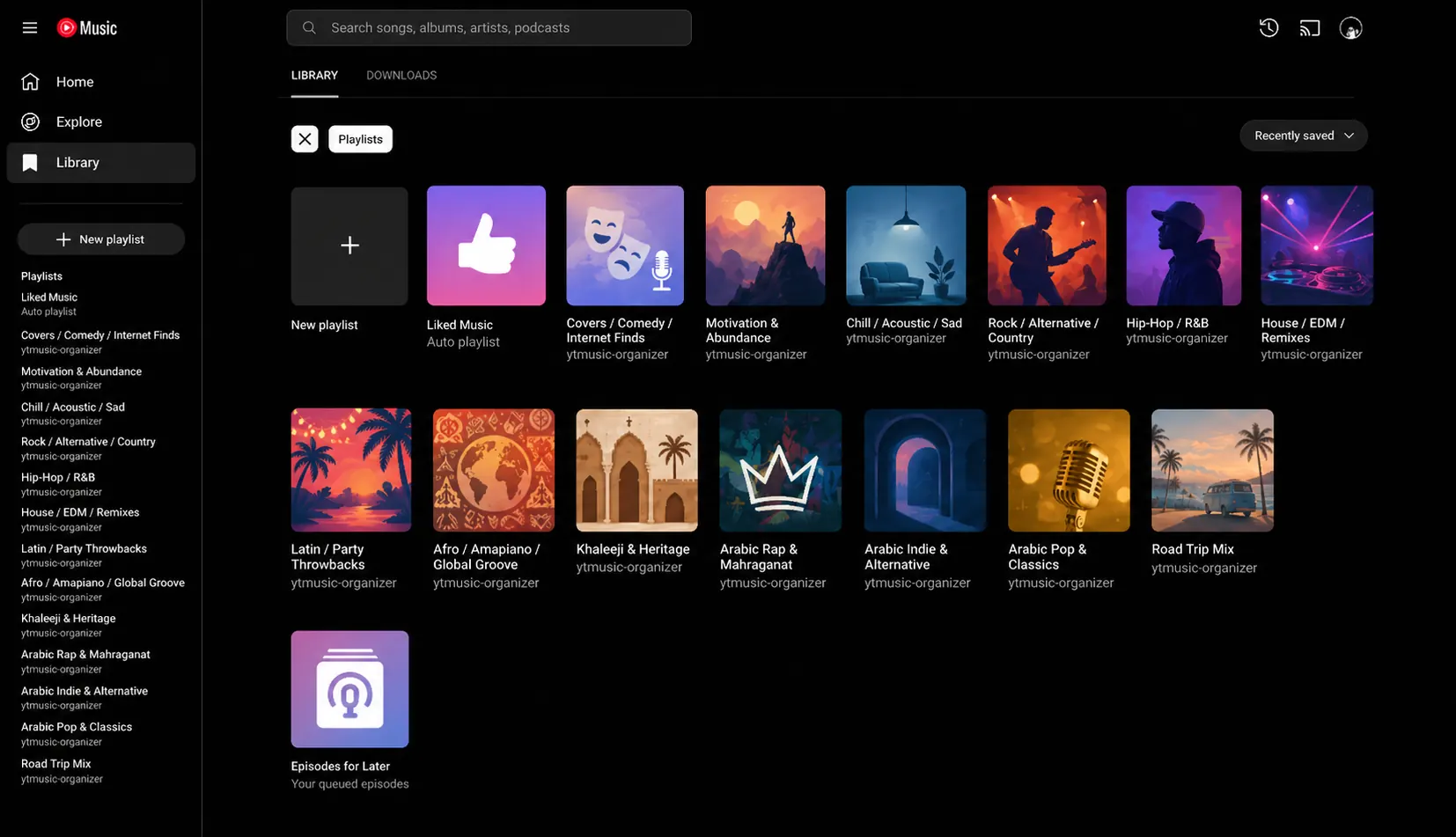
result
liked songs become playlists you can actually use.
workouts, focus, driving, nostalgia, discovery, and other loose piles get split into reusable YouTube Music playlists.
workflow
setup once. sync weekly. stop babysitting.
-
1. run guided setup
ytmo setupreads your liked songs and prepares the local state under~/.ytmusic-organizer. -
2. review the plan
use manual JSON plans, or let OpenAI-backed planning suggest playlist assignments when the pile is too large to sort by hand.
-
3. sync new likes
ytmo synchandles new liked songs and keeps managed playlists updated.
safety
conservative by design.
- tracks managed playlists by YouTube Music playlist ID.
- deletes only playlists listed in its managed index.
- supports dry runs before touching your library.
- keeps local state under
~/.ytmusic-organizer. - lets you use manual JSON planning without OpenAI.
faq
straight answers
- what does it do?
- it turns YouTube Music liked songs into managed playlists and keeps them updated as you like new tracks.
- is OpenAI required?
- no. manual JSON planning is supported. OpenAI-backed planning is optional.
- can it delete arbitrary playlists?
- no. deletion is limited to playlists tracked in its managed playlist index. use dry runs when you want to inspect actions first.
- where does it keep state?
-
local state lives under
~/.ytmusic-organizer. - what is weekly sync?
-
after setup,
ytmo syncprocesses new liked songs instead of rebuilding your whole library from scratch.
source
inspect it before you trust it.
the repo has the install path, release notes, and implementation details. that is where a playlist tool earns its confidence.